

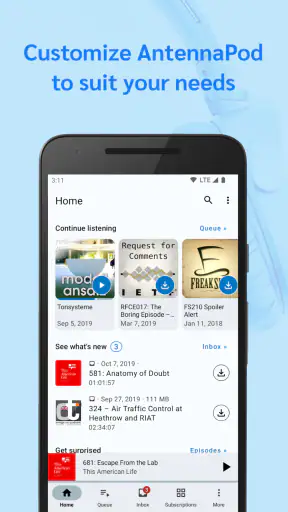
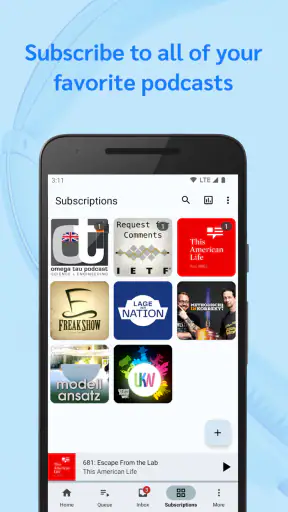
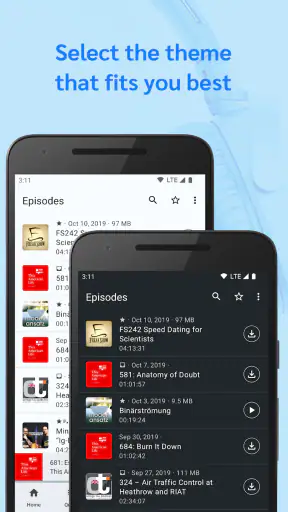
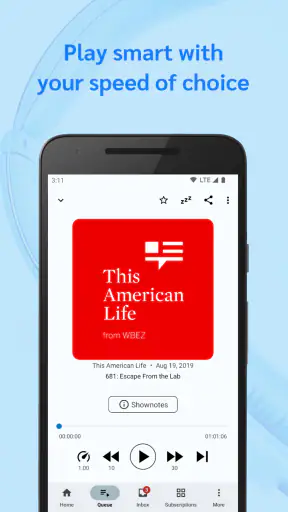
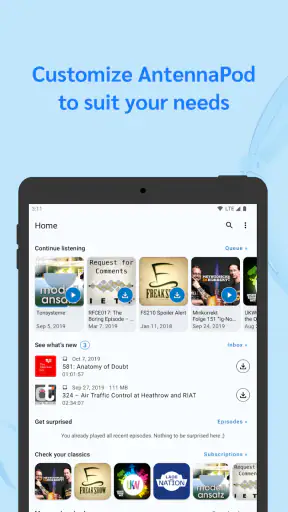
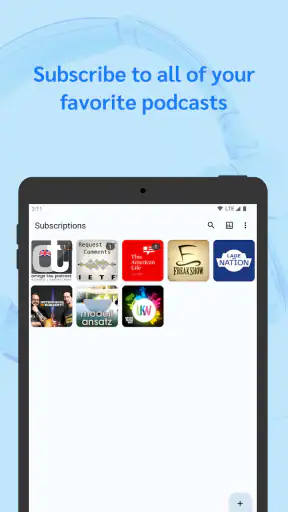
I approached AntennaPod as someone who wanted a dependable way to manage podcasts without turning listening into another subscription decision. It is a free music and audio app from the AntennaPod Open Source Team, and its appeal becomes clearer after using it for more than a quick play-and-pause test. This is a podcast manager first, not a social network, recommendation feed, or general music service. That focus gives it a calm, practical feel, especially if I already know which shows I want to follow.
The app has been available since July 22, 2012, and its long presence shows in the way it handles ordinary listening routines. It supports Android devices running version 6.0 or later, while the current version is 3.12.0. With more than a million installs, an average rating of 4.8 from roughly ninety-seven thousand ratings, and about eight thousand seven hundred written reviews, it has built a sizeable audience without relying on a paid entry point. The content rating is Teen, so it is worth remembering that the app is a tool for accessing podcasts, whose individual content can vary.
What I would consider before choosing a podcast app
My first decision criterion is control. Some listeners want an app to suggest popular programs, organize everything automatically, and connect listening to a broader account or media ecosystem. Others want to add their own shows, decide what gets downloaded, and keep the listening queue understandable. AntennaPod is aimed much more strongly at the second group.
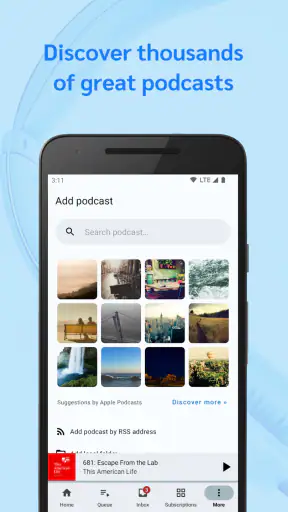
I would also consider how I discover podcasts. If I enjoy browsing recommendations, charts, celebrity exclusives, and a polished entertainment feed, a large commercial platform may feel more immediately inviting. If I usually find shows through a website, a friend, a creator’s page, or a podcast feed, a dedicated manager can be less distracting. AntennaPod makes sense when discovery is something I am comfortable handling deliberately rather than expecting the app to entertain me between episodes.
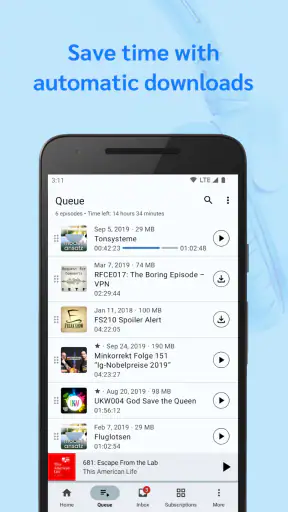
Offline listening is another important test. A podcast app becomes genuinely useful when it helps me prepare before leaving home, rather than forcing me to think about connectivity during a commute. I look for clear download behavior, a queue I can trust, and enough control to avoid filling the phone with episodes I will never hear. AntennaPod’s open-source, flexible character is particularly attractive here because it treats subscriptions and playback as things I should be able to manage rather than simply accept.
Finally, I would ask how much friction I tolerate. A service built around a single account can be easier at first, especially if I already use that company for other media. A focused open-source app may require more personal setup and a little more attention to its workflow. That trade-off is central to deciding whether it is right for me: I gain independence and control, but I should not expect the same kind of guided commercial experience found in mainstream all-in-one platforms.
A practical first session
When I first use it, I would begin with a small set of shows instead of importing every podcast I have ever considered. That makes it easier to understand how subscriptions, the queue, and downloads work together. I would then play a short episode, add another to the listening order, and check what happens when I finish the first one. This simple test reveals more than browsing screens because it shows whether the app matches my actual habits.
For a weekday commute, my routine would be straightforward. Before leaving Wi-Fi, I would review the latest episodes, download only the ones I realistically expect to hear, and place them in a deliberate order. On the train, I could listen without searching through a crowded feed. When I arrive, I would remove completed episodes or keep them only if I know I will return to them. That small amount of preparation is where a podcast manager earns its place on my phone.
I would also separate “interesting someday” from “listen next.” Subscribing to a show does not mean every episode deserves immediate space in the queue. Keeping those ideas separate prevents the common problem of opening a podcast app and seeing an intimidating pile of unfinished audio. AntennaPod works best when I treat it as a personal library that needs occasional housekeeping, not as an endless inbox.
Where the open-source approach wins
The strongest reason I would recommend it is that the app feels designed around the listener’s library rather than around a company’s wider content business. The AntennaPod Open Source Team has built a tool whose identity is tied to flexibility and openness. That matters to people who prefer a dedicated podcast player and do not want podcasts mixed into music, video, social activity, or a large recommendation system.
Its free price is also meaningful in this category. I can try it without committing money simply to discover whether its organization style suits me. That makes experimentation easier: I can build a small subscription list, test downloads during a normal week, and decide based on real use rather than on a promotional promise.
The biggest practical advantage is control over the listening routine. I can approach subscriptions, downloads, and the queue as separate decisions. That is useful when I follow a few long-running programs, listen to occasional specialist shows, or want to avoid automatic clutter. It also suits listeners who value software that does one job clearly instead of constantly asking them to explore more content.
Another less obvious strength is the mental space created by its focused purpose. A commercial media app may place podcasts beside music, videos, playlists, recommendations, and account features. That can be convenient, but it can also turn a ten-minute listening task into a browsing session. With a dedicated podcast manager, I am more likely to open the app with a specific intention: continue an episode, check a subscription, or prepare audio for later.
Three habits that make it work better
My first useful habit would be to maintain a short queue rather than treating it as a storage area. I would add episodes according to available time: a short program for a quick walk, a longer one for travel, and perhaps a discussion for a quiet evening. This reduces skipped episodes and makes the next listening choice obvious.
Second, I would review downloads before every trip longer than usual. A podcast feed can change while I am away, and downloading everything is not always sensible. Selecting episodes consciously helps preserve storage and prevents an offline session from becoming a search for something I actually wanted to hear. The trade-off is that this takes a little more planning than a service that aggressively automates the process.
Third, I would use subscription management as an editorial tool. If a show has become inactive, too frequent, or no longer relevant, I would remove it instead of letting the list grow indefinitely. For occasional listening, I would avoid subscribing until I know I want its future episodes. This distinction is easy to overlook, but it keeps the app useful over months rather than only during the first week.
A further tip is to test the app with different kinds of podcasts. A short news update, a serialized story, and a long interview expose different organizational needs. If I listen only to one familiar show during testing, I may miss whether the app handles the broader routine I expect. The best evaluation is not whether one episode plays; it is whether the library remains understandable after several listening choices.
Where another category of app may fit better
I would choose a mainstream streaming platform instead if discovery is the main reason I listen to podcasts. Those services are often better suited to someone who wants charts, recommendations, cross-media playlists, and a single account for several forms of entertainment. AntennaPod can be a poor match for a listener who wants the app to constantly suggest what to hear next.
I would also look elsewhere if effortless synchronization across several types of devices is my top priority. A dedicated Android podcast manager is most compelling when my listening life is centered on Android and I am comfortable managing it there. Someone who moves constantly between different platforms may prefer an ecosystem built around a broader account and a consistent experience across devices.
Likewise, a beginner who has never followed a podcast may find a commercial service more welcoming. A large visual catalog can explain the medium through recommendations and categories. AntennaPod is more rewarding once I already have shows in mind or am willing to discover them outside the app. That is not a flaw in its core purpose, but it changes the learning curve.
Listeners who want podcasts tightly blended with music, videos, or social sharing should think carefully before switching. AntennaPod’s focused nature is an advantage for me, but it can feel limited if my ideal experience is one unified entertainment hub. The better choice depends less on which app has the longest feature list and more on whether I want independence or convenience from a larger service.
The real cost of changing apps
Because it is free, the main cost of switching to AntennaPod is not financial. It is the time needed to rebuild a comfortable routine. I would need to gather the shows I actually follow, decide which episodes matter, and learn how the queue and downloads fit together. That effort is modest for a small library but more noticeable for someone who has accumulated years of subscriptions.
I would make the transition gradually. Instead of abandoning my current player immediately, I would start with several essential shows in AntennaPod and use it for one normal week. I would pay attention to three things: whether I remember to download episodes, whether the queue reflects my day, and whether I miss the discovery features of the old service. This trial gives a more honest answer than comparing screenshots.
There is also a psychological switching cost. If another app has trained me to expect automatic recommendations or a constantly refreshed home screen, AntennaPod may initially seem quieter. I would interpret that quietness correctly: it is not necessarily a lack of usefulness, but a different division of responsibility. The app manages listening; I decide what deserves my attention.
For someone with a carefully maintained podcast collection, that change can be positive. I can use the move as a cleanup opportunity, keeping only shows I genuinely hear. For someone who relies on a large platform’s personalized suggestions, the same change may feel like losing a helpful guide. Neither reaction is wrong, but I would want to know which kind of listener I am before committing.
Everyday strengths and points of friction
In daily use, I value the separation between finding a show and listening to it. Once I know what I want, the app can become a quiet utility that gets out of the way. That is especially helpful during commutes, chores, walks, and travel preparation, when I do not want to scroll through unrelated media before pressing play.
The friction comes from the same design choice. A quiet utility does not necessarily provide the hand-holding of a commercial platform. I may need to make more decisions about subscriptions, episode selection, and offline preparation. If I ignore those tasks, the library can become less useful. The app rewards a listener who spends a few minutes organizing rather than expecting everything to happen invisibly.
Its open-source identity will also matter differently to different people. For me, it signals a preference for transparency and community-oriented software, which is a strong reason to try it. But open-source does not automatically mean every screen will feel as polished or familiar as a heavily commercialized competitor. I would judge the experience by whether the workflow is reliable for me, not by the label alone.
The age rating of Teen is another reminder to use normal judgment about the shows themselves. The application is a player and manager, while podcast topics and language are determined by the individual programs I choose. Families should therefore consider the content of subscriptions rather than assuming that the app’s category describes every episode available through it.
Who should install it
I would recommend AntennaPod to an Android listener who wants a free, dedicated podcast tool and prefers to manage a personal collection instead of joining a larger entertainment ecosystem. It is especially appealing if I already know the shows I want, care about offline preparation, and like the idea of open-source software from the AntennaPod Open Source Team.
It is also a good candidate for listeners who feel overwhelmed by recommendation-heavy apps. If I want to open my player, continue an episode, and leave, the focused approach is refreshing. People with modest subscriptions may find the workflow easy to keep tidy, while experienced podcast listeners can appreciate having more say over how the library is maintained.
I would skip it if I mainly want a discovery engine, seamless cross-platform entertainment account, or a single place for music and podcasts. I would also hesitate if I dislike organizing downloads and queues. In those cases, a larger commercial alternative may save time even if it offers less independence.
My recommendation after using it
My recommendation is clear: try AntennaPod if your priority is ownership of the listening routine rather than a constantly curated media feed. Its free access removes the biggest barrier to testing it, and its long history, strong user response, and more than a million installs suggest that the focused approach works for many people. I would begin with a small group of subscriptions and judge it after a normal week of commuting or household listening.
I would not choose it simply because it is open-source, nor would I reject it because it is less focused on entertainment discovery. The deciding question is practical: do I want an app to help me find more content, or do I want one to help me listen to the content I have chosen? For the second purpose, this is one of the more convincing options I would recommend to a friend.
After settling into a short queue, deliberate downloads, and regular subscription cleanup, the app becomes pleasantly unobtrusive. That is its real character. It does not need to dominate the phone to be useful; it needs to make the next episode easy to manage. For listeners who value that kind of control, AntennaPod is worth installing and giving a fair trial.


